
How the children’s footwear store Leova got its own app without changing its website
Leova had a website on OpenCart. Now the store also has its own app on the App Store and Google Play — under its own name and with its own customers. The website stayed as it was: the app takes the catalog from it.
The app was developed by HobbyCommerce on its platform and published for Android and iOS. Since March 2026 Leova customers order and pay in it.

At a glance
- Developer and platform
- HobbyCommerce
- Store website
- OpenCart
- App
- native: Kotlin for Android, Swift for iOS
- Live
- since March 2026
- Store accounts
- owned by Leova
The app belongs to the store
On the App Store and Google Play the app is published in Leova’s name, under its own accounts. Customers, ratings and reviews stay with the store. HobbyCommerce develops, updates and maintains the app.
What HobbyCommerce did
- 1
Connected the catalog
Products, prices and stock come from the store’s OpenCart website and refresh every night. Nothing had to be moved by hand.
- 2
Built the app under the Leova brand
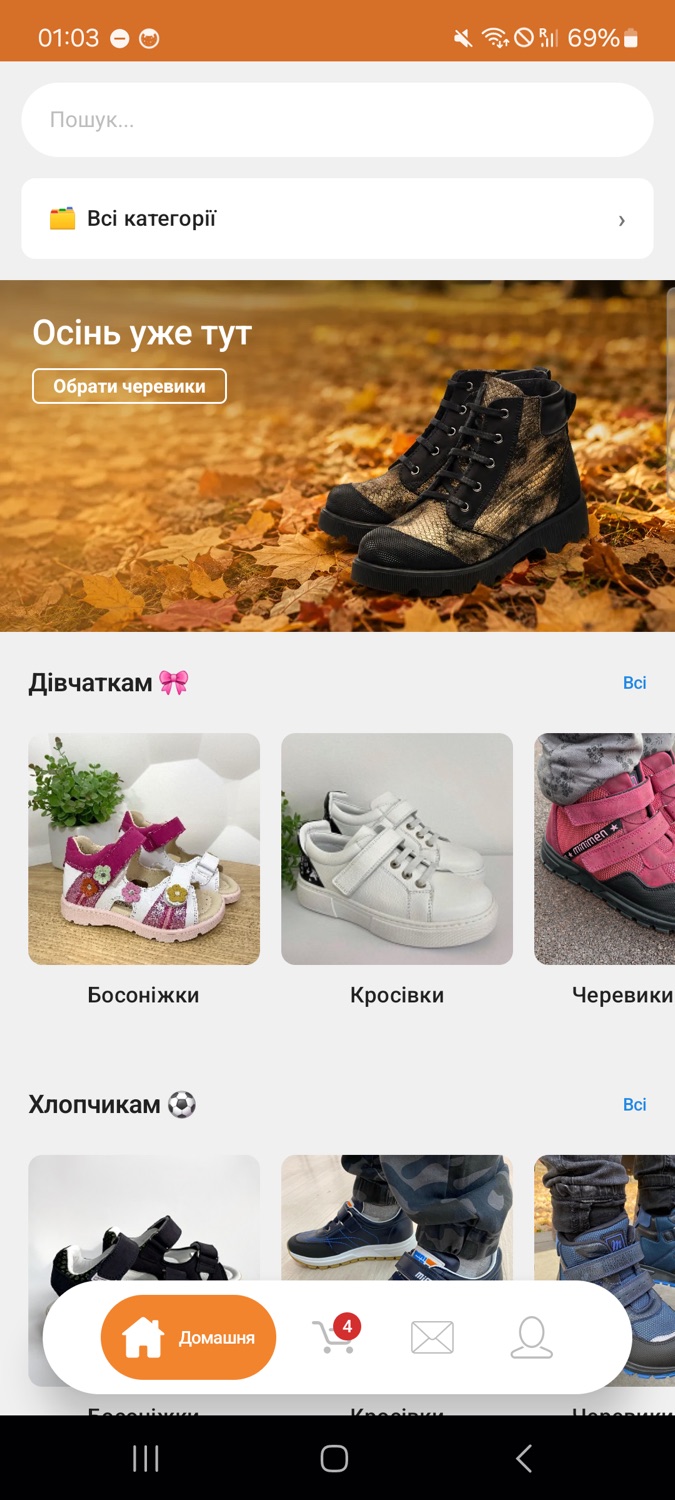
The store’s name, logo and colors; a home screen with banners, categories and collections.
- 3
Published on both stores
The app went live on Google Play and the App Store under the store’s own accounts.
- 4
Connected delivery and payment
Nova Poshta with city and branch selection, online payment through LiqPay and cash on delivery.
- 5
Gave the store an admin panel
Home screen, orders with statuses, chat with customers and push campaigns — no developers needed.
What is in the app
- Search across the whole catalog with suggestions
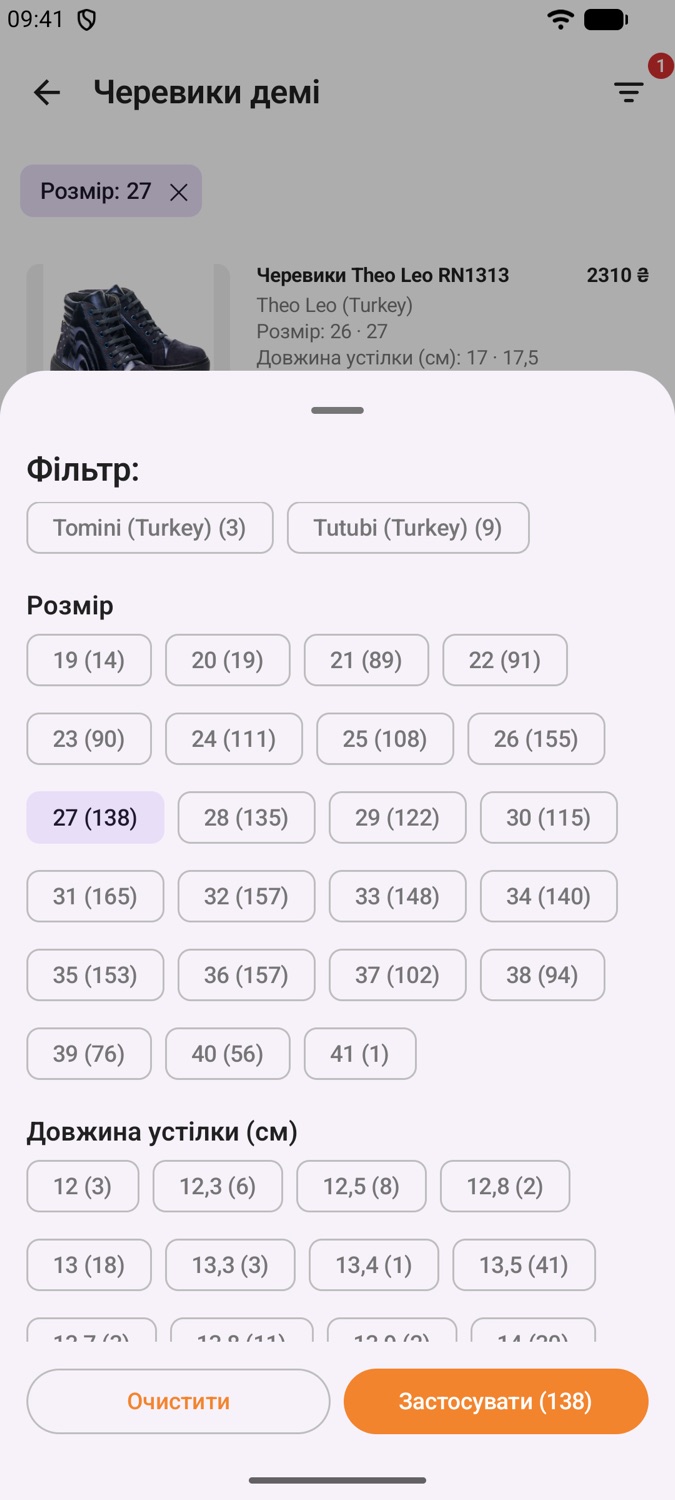
- Filters by size, insole length, brand and price
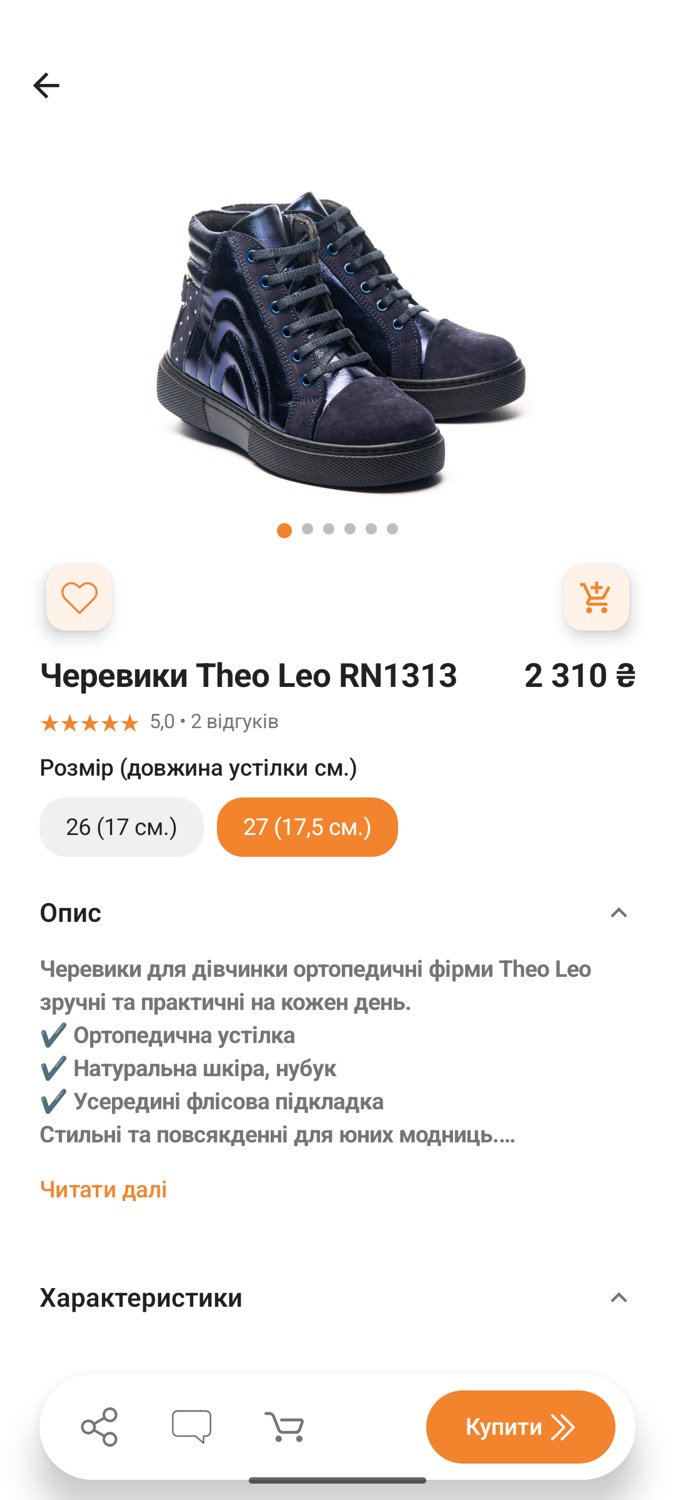
- Product page with sizes and insole length
- Children’s size profiles: the app picks footwear for a saved size
- Checkout with Nova Poshta
- Online payment through LiqPay or cash on delivery
- Order history and push notifications on status changes
- Chat with the store right from the product page
How it works in the app
Four short videos from a real app
Home screen
Banner, categories and collections — everything the store wants to show first.
Search
The customer types a word — the app shows products right away.
Catalog and filters
Filter by brand, price or attribute; the counter shows at once how many products are left.
Product page
Photos, price, product options and description — all on one screen.
Want an app like this for your store?
We take the catalog from your website and publish the app under your accounts.